
ACMOC
Login
ACMOC
Give the picture posting a try

Give the picture posting a try

Showing 1 to 9 of 9 results
biggastractor
Topic Author
Offline
Send a private message to biggastractor
Posts: 389
Thank you received: 0
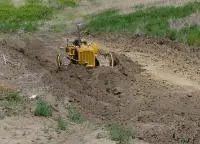
Thought I would give the picture posting a try. If it work it should be a gas 70.
Biggstractor
Please log in or create an account to join the conversation.
Wed, Jan 31, 2007 10:42 AM
biggastractor
Topic Author
Offline
Send a private message to biggastractor
Posts: 389
Thank you received: 0
I guess I have to figure out how to resize them. sorry
Please log in or create an account to join the conversation.
Wed, Jan 31, 2007 10:47 AM
Delta Dirt
Offline
Send a private message to Delta Dirt
Posts: 187
Thank you received: 0
Reply to biggastractor:
I guess I have to figure out how to resize them. sorry
BigAssTractor---

(always read your handle wrong)😉

I move my original picture over to Paint. Then utilize Stretch and Skew under View or Edit (unsure---but one or other)-----check picture size under Properties or Attributes. Keep reducing---until I get down to acceptable size for the thumbnail posting. Then save back into my photo program which is HP Image Zone.

You may not have Paint----but I would feel sure you probably have a similar program. Somewhere on here, Swishy has some instructions. Maybe somebody else will offer some specific help.

I am on dial up----and its just too much hassle going with one of the host programs.

Always enjoy seeing that big old gas 70. When you get your picture posting figured out----give us some spec's on it. How much gas per hour can it dispose of???😮

Delta Dirt
Delta Dirt
Avon, Ms 38723

D2 5U and other scrap iron
Please log in or create an account to join the conversation.
Wed, Jan 31, 2007 11:14 AM
King of Obsolete
Offline
Send a private message to King of Obsolete
Posts: 946
Thank you received: 0
Reply to Delta Dirt:
BigAssTractor---

(always read your handle wrong)😉

I move my original picture over to Paint. Then utilize Stretch and Skew under View or Edit (unsure---but one or other)-----check picture size under Properties or Attributes. Keep reducing---until I get down to acceptable size for the thumbnail posting. Then save back into my photo program which is HP Image Zone.

You may not have Paint----but I would feel sure you probably have a similar program. Somewhere on here, Swishy has some instructions. Maybe somebody else will offer some specific help.

I am on dial up----and its just too much hassle going with one of the host programs.

Always enjoy seeing that big old gas 70. When you get your picture posting figured out----give us some spec's on it. How much gas per hour can it dispose of???😮

Delta Dirt
if you have outlook express, email them to yourself and they are the right size. plus you get an email and feel loved too LOL

thansk
Please log in or create an account to join the conversation.
Wed, Jan 31, 2007 11:44 AM
alan627b
Offline
Send a private message to alan627b
Posts: 196
Thank you received: 0
Reply to King of Obsolete:
if you have outlook express, email them to yourself and they are the right size. plus you get an email and feel loved too LOL

thansk
Guys, you need this little gadget to resize your pics, it's free and does a great job. I have done an entire batch of pics at once, it's very handy.
Waaay better than Paint, King! Faster too.
Powertools page
http://www.microsoft.com/windowsxp/downloads/powertoys/xppowertoys.mspx
What you want is the Image Resizer, scroll down and you'll see it.
alan 627b
Please log in or create an account to join the conversation.
Wed, Jan 31, 2007 12:01 PM
D4Jim
Offline
Member
Send a private message to D4Jim
Location: NW Kansas
Posts: 1,363
Thank you received: 16
Reply to alan627b:
Guys, you need this little gadget to resize your pics, it's free and does a great job. I have done an entire batch of pics at once, it's very handy.
Waaay better than Paint, King! Faster too.
Powertools page
http://www.microsoft.com/windowsxp/downloads/powertoys/xppowertoys.mspx
What you want is the Image Resizer, scroll down and you'll see it.
alan 627b
Another easy way to post pictures is to use a free hosting service like Image Shack and post the photo on the free site and then link it to the posting. The Image shack page gives you the "code" to paste in the message and then a thumbnail appears. It gives one the ability to post large pictures.

The picture below was taken today of a hay grinding operation just north of me. The milo bales and alfalfa were being mixed one to one and the grinder would handle about 1 of the 1800 lb bales per minute. Sure made it moan and groan and took two tractors to keep up with it.

[img]http://img411.imageshack.us/img411/9930/grindinghaymi4.th.jpg[/img]

Cats Forever

Please log in or create an account to join the conversation.
Wed, Jan 31, 2007 12:45 PM
Delta Dirt
Offline
Send a private message to Delta Dirt
Posts: 187
Thank you received: 0
Reply to D4Jim:
Another easy way to post pictures is to use a free hosting service like Image Shack and post the photo on the free site and then link it to the posting. The Image shack page gives you the "code" to paste in the message and then a thumbnail appears. It gives one the ability to post large pictures.

The picture below was taken today of a hay grinding operation just north of me. The milo bales and alfalfa were being mixed one to one and the grinder would handle about 1 of the 1800 lb bales per minute. Sure made it moan and groan and took two tractors to keep up with it.

[img]http://img411.imageshack.us/img411/9930/grindinghaymi4.th.jpg[/img]
Alan---

Have downloaded----now will have to teach old dog to do new tricks.

1st trick is to find the program on computer.🙄

Delta Dirt
Delta Dirt
Avon, Ms 38723

D2 5U and other scrap iron
Please log in or create an account to join the conversation.
Wed, Jan 31, 2007 1:19 PM
alan627b
Offline
Send a private message to alan627b
Posts: 196
Thank you received: 0
Reply to Delta Dirt:
Alan---

Have downloaded----now will have to teach old dog to do new tricks.

1st trick is to find the program on computer.🙄

Delta Dirt
Delta Dirt, whenever you save a picture, whether it be to My Pictures or whatever folder you have created, all you have to do is go to where the image is, right click on the thumbnail, and a whole list of options will appear describing what you can do with the picture. Resize Image should be right there.
If you go to your MY Documents folder (It helps to make a shortcut to your desktop) and you find your pictures, you can resixe the whole batch at the same time using this tool!
If you wanted to resize all the pics in the folder, for example, you click EDIT+Select all+resize images. Or do one at a time. It works great! The time required depends on how fast your computer is, of course.
The resized pictures will be added to the folder, next to the parent image,
and labeled (for example) Cat D4 (small, medium, large) or DSC12000 (small, medium,large) depending on what size you select.
I know if I'm robbing pictures off a website, I like to label them with the serial number. Otherwise you wind up with stuff like D4-1, 2 or 1a, 2a...and then when you go looking for a certain pic, it gets confusing. Plus you gotta remember your labeling system....but, whatever works for you!
It all sounds harder than it is! I'm pretty much computer illiterate, and I figured it out!
Happy puting!
alan627b
Please log in or create an account to join the conversation.
Thu, Feb 1, 2007 5:51 AM
Delta Dirt
Offline
Send a private message to Delta Dirt
Posts: 187
Thank you received: 0
Reply to alan627b:
Delta Dirt, whenever you save a picture, whether it be to My Pictures or whatever folder you have created, all you have to do is go to where the image is, right click on the thumbnail, and a whole list of options will appear describing what you can do with the picture. Resize Image should be right there.
If you go to your MY Documents folder (It helps to make a shortcut to your desktop) and you find your pictures, you can resixe the whole batch at the same time using this tool!
If you wanted to resize all the pics in the folder, for example, you click EDIT+Select all+resize images. Or do one at a time. It works great! The time required depends on how fast your computer is, of course.
The resized pictures will be added to the folder, next to the parent image,
and labeled (for example) Cat D4 (small, medium, large) or DSC12000 (small, medium,large) depending on what size you select.
I know if I'm robbing pictures off a website, I like to label them with the serial number. Otherwise you wind up with stuff like D4-1, 2 or 1a, 2a...and then when you go looking for a certain pic, it gets confusing. Plus you gotta remember your labeling system....but, whatever works for you!
It all sounds harder than it is! I'm pretty much computer illiterate, and I figured it out!
Happy puting!
alan627b
Alan---

Will get it sorted out when wife has time to follow through it with me.

Program looked good in what I saw last night----thanks for the additional instructions.

Delta Dirt

Delta Dirt
Avon, Ms 38723

D2 5U and other scrap iron
Please log in or create an account to join the conversation.
Thu, Feb 1, 2007 9:17 AM
biggastractor
Topic Author
Offline
Send a private message to biggastractor
Posts: 389
Thank you received: 0
Reply to Delta Dirt:
Alan---

Will get it sorted out when wife has time to follow through it with me.

Program looked good in what I saw last night----thanks for the additional instructions.

Delta Dirt
Delta Dirt,
That 70 loves fuel. I bet it goes through 7-9 gallons an hour just monkeying around showgrounds. Fuel tank capacity is listed as 90. It's got someting like 2600 cubic inches. I don't know if I can flood it when cold. Floods easily when trying to start it warm. I can dump a lot of gas down the intake. My old heavyweight Rumley doesn't use any fuel in comparison. It's rated at 15-30 and will only pull a 5 bottom plow. The 70 is rated at 77-89. I pulled 6 bottoms one day in 5th gear at half throttle and the ground was rock hard. I wonder what it would do? Biggest gang plow available to me is 10 bottoms. Should try that this year. Would love to find a belt pulley for it!
Biggastractor
Please log in or create an account to join the conversation.
Thu, Feb 1, 2007 9:57 AM
Showing 1 to 9 of 9 results
YouTube Video Placeholder

Follow Us on Social Media

Our channel highlights machines from the earliest Holt and Best track-type tractors, equipment from the start of Caterpillar in 1925, up to units built in the mid-1960s.

Upcoming Events

View Calendar
ACMOC

Antique Caterpillar
Machinery Owners Club

1115 Madison St NE # 1117
Salem, OR 97301

[email protected]

Terms & Privacy
Website developed by AdCo

Testimonials

"I also joined a year ago. had been on here a couple of times as a non-member and found the info very helpful so I got a one year subscription (not very expensive at all) to try it out. I really like all the resources on here so I just got a three year. I think its a very small price for what you can get out of this site."
-Jason N

Join Today!